Monitoring your deploys
Firetiger can monitor your deployments proactively, developing sophisticated, targeted alarms and metrics on a per-PR basis.
This is a powerful tool for building confidence in the changes you are rolling out. You can quickly detect whether your change broke stuff, but also whether it is accomplishing it’s intended changes.
At Firetiger, we use this to ship faster. We use lots of agentic coding tools to write code, fix bugs, and build features. While automated testing is important, it’s not the complete story; often the details of how things run in production can complicate things, so we were doing a lot of manual verification. With Firetiger’s deploy monitoring suite, you can keep moving forwad, knowing that an agent is automatically verifying that a PR’s changes are having their intended effect.
Prerequisites
To use deploy monitoring, you’ll need to:
- Install the GitHub Connection
- Register deployments with Firetiger — either via GitHub Deployments (automatic) or the explicit deployment API (for other CI/CD systems)
Registering deployments via GitHub
If your CI/CD pipeline uses GitHub Deployments, Firetiger picks up deployment events automatically through the GitHub Connection webhook. No extra configuration is needed once the connection is installed.
Registering deployments via the API
If you use a different CI/CD system, or want explicit programmatic control (scripted promotions, post-hoc registration, etc.), you can register deployments directly:
curl -X POST https://api.ft-jam.firetigerapi.com/deployments \
  -u "$FT_DEPLOY_USERNAME:$FT_DEPLOY_PASSWORD" \
  -H "Content-Type: application/json" \
  -d '{
    "repository":   "owner/repo",
    "environment":  "production",
    "sha":          "abc123def456...",
    "deploy_time":  "2024-01-15T10:00:00Z"
  }'
Fields:
| Field | Required | Description |
|---|---|---|
repository |
yes | Repository in owner/repo format |
environment |
yes | Deployment environment (e.g. production, staging) |
sha |
yes | Git commit SHA that was deployed |
deploy_time |
no | RFC 3339 timestamp of when the deploy occurred; defaults to the time of the request |
Auth: Use your deploy credentials (Basic auth). Find them in the Firetiger UI on the Deployments page under the Create a deployment tab.
Response: 200 OK with a JSON body containing the created deployment’s resource name:
{"name": "deployments/abc123"}
Enabling monitoring for a PR
To instruct Firetiger to monitor changes in a PR, just tag it (as “@firetiger”) in a comment on the PR:
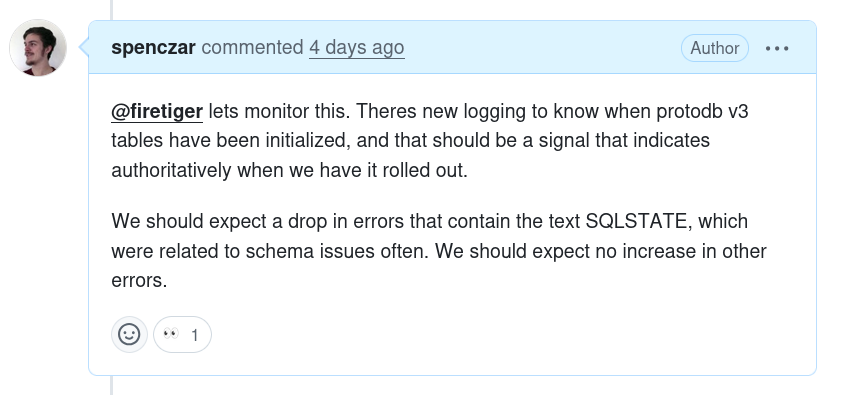
You can include extra detail if you like, as in the above example; this will be passed as helpful context to Firetiger as it figures out what to focus on.
You should very quickly get an “👀” response on your comment, which shows that the GitHub Connection is correctly installed so we can hear your message.
You’ll then see a response from Firetiger:
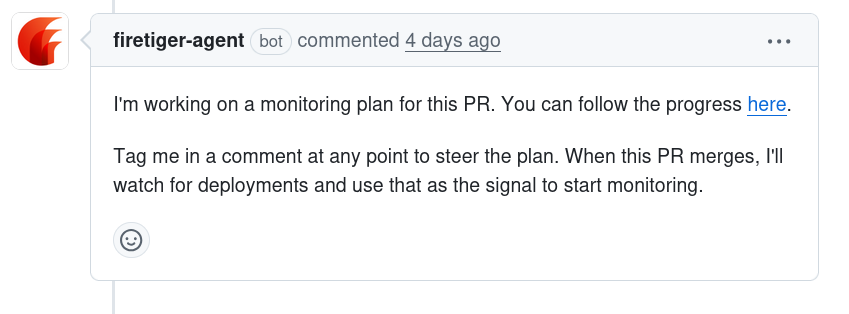
You can click on the embedded link to follow along and see Firetiger’s agent develop a targeted plan. This plan will incorporate research from the Pull Request metadata, code changes, other code in the repo, Git history, and system research collected by Firetiger’s other agents.
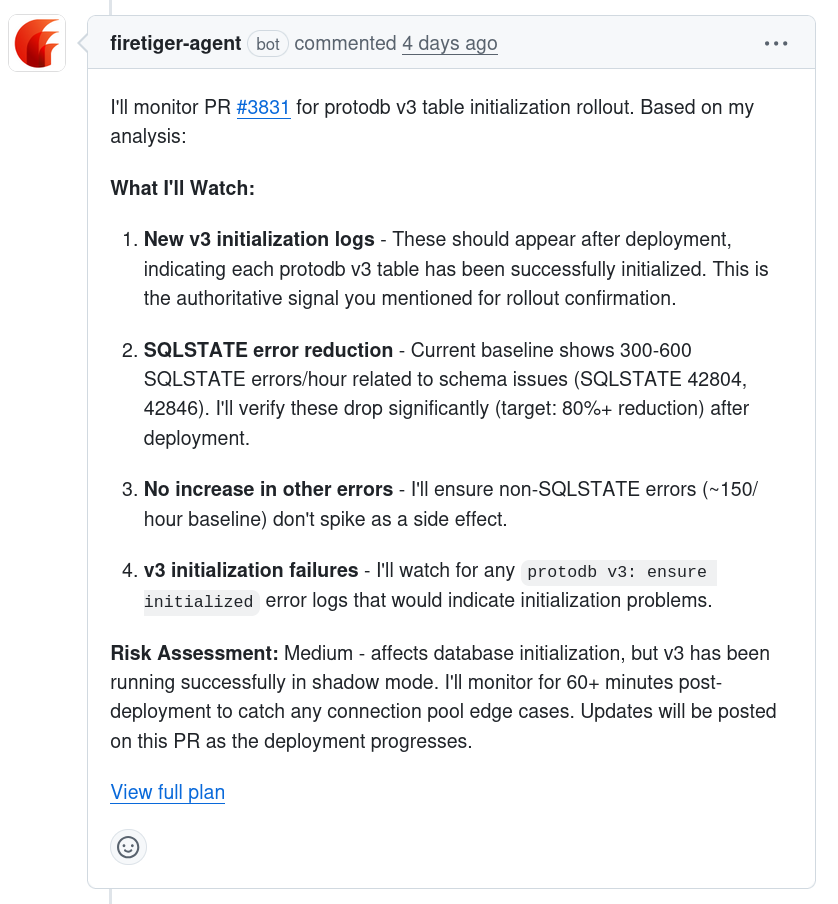
Once a plan is fully developed and ready to execute, you’ll get a summary of it presented as another PR comment:
Once monitoring is set up
Once the PR is merged, we mark the monitoring plan as “ready”, and we’ll check for its presence in deployments. When a deployment is registered — either through GitHub or the explicit API — Firetiger will compare its Git SHA with that of the PR’s merge. If the PR is an ancestor of the deployment, then we’ll mark the PR as deployed, and start actively monitoring, following the plan that was developed.
After a deploy, checks run at 10 minutes, 30 minutes, 1 hour, 2 hours, 24 hours, and 72 hours. Each check examines both intended effects and unintended issues. If a new environment deploys the same PR, the schedule resets to cover the fresh deployment.
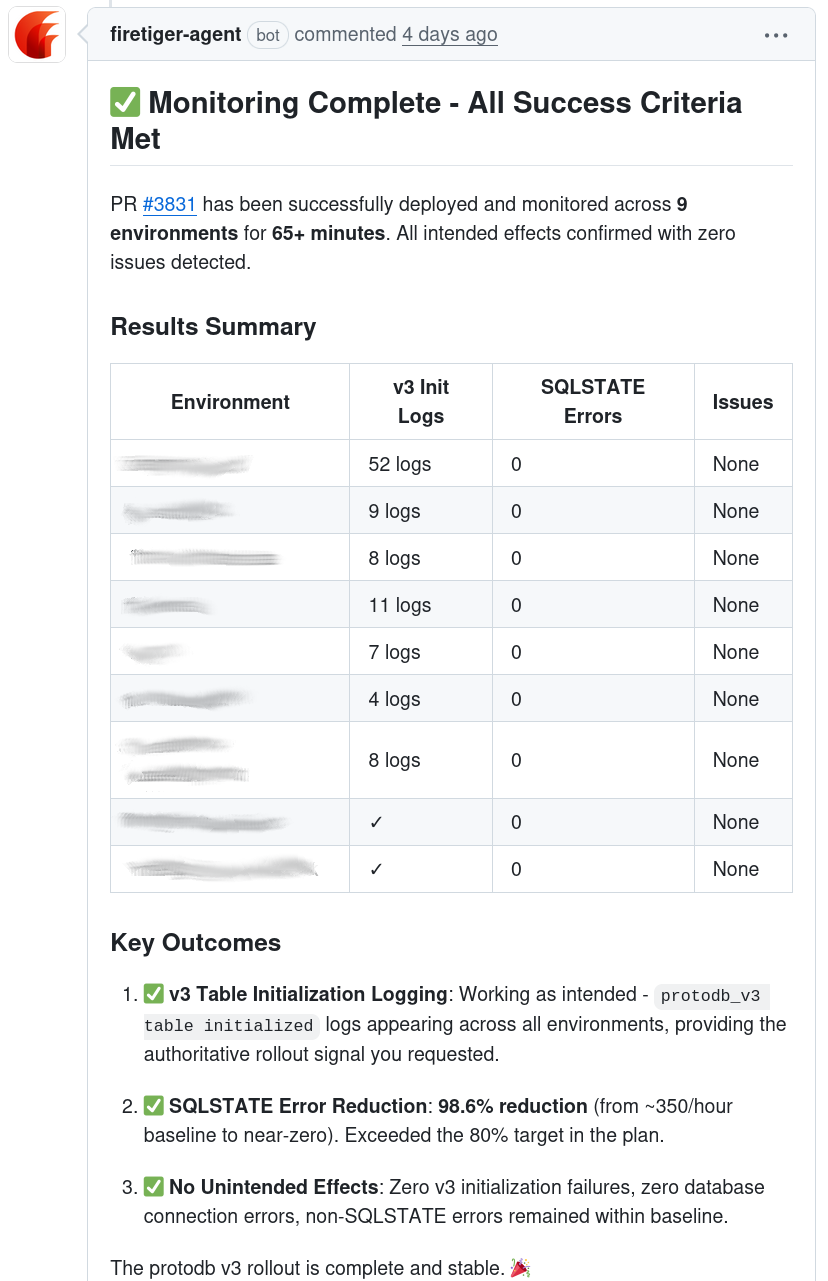
You’ll receive updates on the status of the monitoring on the Pull Request directly, including an update when intended effects have been observed:
When things go wrong
If monitoring detects issues, it will quickly notify you on the Pull Request where the monitoring was set up. You’ll get a message with detailed explanation of what was found that was out of expectations.
In addition, it will create Known Issues in your Firetiger project. These can be fed into Claude Code through the MCP integration to be quickly resolved, and will be published to Firetiger’s internal knowledge store so. You can also configure Firetiger to alert you on Slack when known issues are created or updated.